A mid-sized UK e-commerce brand came to us with a straightforward problem. Their pricing team was spending every Monday morning manually checking 12 competitor websites, copying numbers into a spreadsheet, and reacting to price changes that had already been live for 48 hours. By the time they adjusted their own prices, they'd lost a weekend's worth of sales volume to a competitor selling the same product for £8 less.
That's not a strategy problem. That's a data problem. And it's one that web scraping solves completely — if you set it up correctly.
💡 What you'll get from this post: A practical guide to web scraping for e-commerce — the five data types worth extracting, how the technical pipeline works, what actually goes wrong, and an honest framework for deciding whether to build custom or buy a SaaS tool.
TL;DR
- E-commerce scraping covers 5 core data types: competitor prices, product catalogues, customer reviews, stock availability, and marketplace listings.
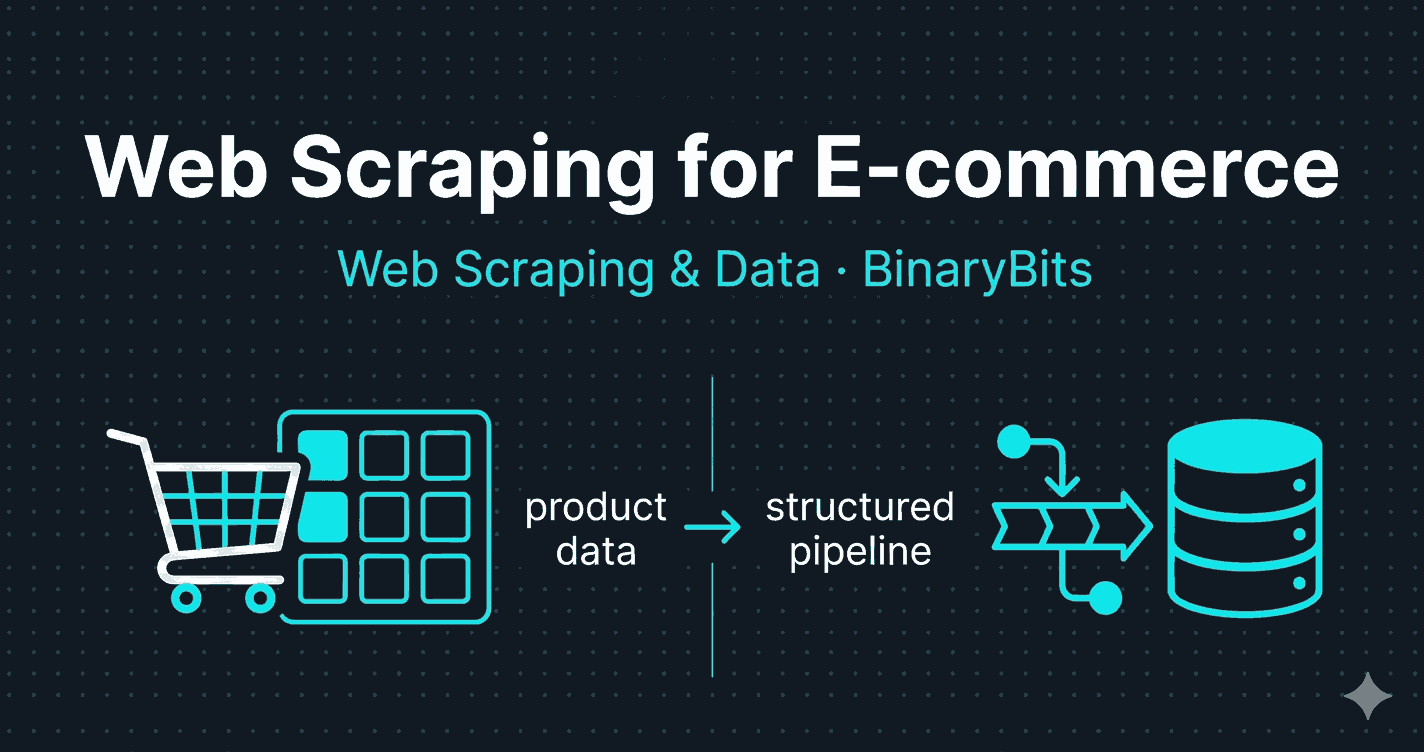
- A production scraping pipeline has 4 layers: scraper, anti-blocking, storage, and alerting/delivery.
- The hardest part isn't the scraper — it's handling JavaScript-heavy sites and anti-bot protection at scale.
- Buy a SaaS tool if you have fewer than 1,000 SKUs and standard competitors. Build custom if you're beyond that.
- Scraping publicly available data is generally legal — but read the site's ToS and never bypass login walls.
Why E-commerce Businesses Need External Data
Every e-commerce business makes decisions based on data. Pricing decisions. Merchandising decisions. Assortment decisions. The question is: are those decisions based on your internal data alone, or are they informed by what's happening across the market?
Internal data — your own sales, your own inventory, your own customer behaviour — tells you what happened. External data tells you why, and what's coming. A sudden drop in conversion rate on a product category might be explained entirely by a competitor running a 20% promotion you didn't know about. A gap in your assortment might be visible only when you map your catalogue against what's available across three competing platforms.
We've run web scraping pipelines for e-commerce businesses across the UK, US, and Australia for over 10 years. The businesses that use external data well consistently outperform those that don't — not because they have better products, but because they react faster and price smarter. The gap between the two groups has widened as the tools to collect external data have improved.
The 5 Types of Data E-commerce Businesses Actually Scrape
Not all e-commerce scraping is the same. Different data types serve different business functions, require different technical approaches, and have different update frequency requirements. Here's what matters and why.
1. Competitor Pricing Data
The most common use case. You want to know, in near real-time, what every relevant competitor is charging for the same or equivalent products.
What gets extracted: Current price, sale price, list price, bundle pricing, shipping costs, and availability status.
Update frequency: Every 4–6 hours for most categories. Every 1–2 hours if you're in a high-velocity category like electronics or fast fashion where flash sales are frequent.
The business impact: We built a price monitoring system for an e-commerce brand tracking 8,000+ SKUs across 12 competitors. After 90 days in production, their pricing reaction time dropped from 24–48 hours to under 2 hours for high-priority products — and one category (phone accessories) saw a 17% improvement in conversion rate after they identified and corrected three products they'd been systematically overpricing. You can read the full breakdown in our e-commerce price intelligence case study.
2. Product Catalogue & Assortment Data
What products are your competitors carrying that you aren't? What new SKUs did they add this week? Which products did they quietly discontinue?
What gets extracted: Product titles, descriptions, categories, images, specifications, variants (size/colour), and SKU identifiers where available.
Update frequency: Daily or weekly. Catalogues don't change as fast as prices.
The business impact: Assortment gap analysis. If a competitor is consistently gaining share in a sub-category you both operate in, catalogue data often reveals why — they've expanded their range in that sub-category while yours has stayed static.
3. Customer Reviews & Ratings
Reviews on competitor products — and on your own products across third-party platforms — are a rich source of customer intelligence that most businesses only look at manually and sporadically.
What gets extracted: Star rating, review text, reviewer location, verified purchase status, review date, and helpful vote count.
Update frequency: Weekly. Reviews accumulate gradually.
The business impact: Systematic review analysis across competitor products reveals product weaknesses your customers are experiencing but not voicing directly to you. "Battery life is poor" appearing in 40% of negative reviews for a competitor product is a product development signal, not just a competitor weakness.
4. Stock Availability & Out-of-Stock Monitoring
When a competitor goes out of stock on a product you both carry, that's a window. You can increase visibility, adjust pricing upward, or run targeted ads knowing their supply is constrained.
What gets extracted: In-stock status, stock level indicators (where shown), lead time, and back-in-stock dates.
Update frequency: Every 2–4 hours. Stock situations change fast.
The use case that surprises people: Monitoring your own products across third-party marketplaces. If a reseller is selling your products below MAP (minimum advertised price), you won't necessarily know unless you're watching. Automated stock and price monitoring across marketplaces catches this instantly.
5. Marketplace Listings & Search Ranking Data
Where do your products — and your competitors' products — appear in search results on Amazon, eBay, Google Shopping, or any relevant marketplace? What's the relationship between listing attributes and ranking position?
What gets extracted: Search rank position, sponsored vs. organic status, listing title, bullet points, image count, A+ content presence, seller ratings, and review count.
Update frequency: Daily. Marketplace rankings shift frequently.
The business impact: Marketplace SEO is competitive and opaque. Scraped ranking data over time reveals patterns: which listing attributes correlate with top-3 placement, how competitor ranking changes after they update their listing, and where your own rankings are slipping before sales data reflects it.
How a Production E-commerce Scraping Pipeline Actually Works
A spreadsheet of competitor URLs and a simple Python script will get you started. It will not get you to production. Here's what a real pipeline looks like — the four layers you need and why each one matters.
Layer 1 — The Scraping Layer
The scraper's job is simple: take a URL, return structured data. In practice, e-commerce sites split into two categories with very different technical requirements.
HTML-based sites — the product price and availability are in the HTML returned by the server. You can use HTTPX or Requests with BeautifulSoup or Scrapy for parsing. These are fast, lightweight, and cheap to run at scale.
JavaScript-rendered sites — the price only appears after JavaScript executes in the browser (common in modern Shopify storefronts, React/Next.js product pages, and single-page applications). You need a headless browser. Playwright is the current standard. It's slower and more resource-intensive than HTTP-only scraping — a full browser render takes 3–8 seconds per page vs. under 1 second for pure HTTP — but it handles anything a real browser can load.
In our experience across 200+ scraping projects, roughly 60–70% of e-commerce sites require at least some JavaScript rendering. Plan for it from the start rather than discovering it mid-build.
Layer 2 — Anti-Blocking & Reliability
This is where most DIY scraping projects break down. E-commerce sites — particularly large ones — invest heavily in bot detection. The techniques they use:
- IP rate limiting: Too many requests from the same IP in a short window triggers a block.
- Browser fingerprinting: Headless browsers have detectable characteristics (missing plugins, consistent viewport sizes, specific JavaScript properties) that fingerprinting libraries identify as non-human.
- CAPTCHA challenges: Triggered after suspicious behaviour patterns, not just on every request.
- Honeypot links: Hidden links that only bots follow, used to identify and flag automated traffic.
The solutions:
- Rotating residential proxies for protected sites — residential IPs look like real users. Expect to pay $50–150/month for a quality proxy pool depending on bandwidth. For scraping 8,000 SKUs daily across 12 competitors, we ran on roughly $80/month in proxy costs.
- Human-like request timing — randomised delays of 2–8 seconds between requests, varying user agents, randomised viewport sizes in headless browsers.
- Retry logic with exponential backoff — if a request fails, wait 30 seconds before retrying, then 60, then 120. After 3 failures, mark the URL as failed and alert rather than hammering the server.
- Stealth browser profiles for Playwright — libraries like
playwright-stealthpatch the detectable headless browser signatures.
After tuning these parameters across a project, expect a 95–98% successful scrape rate on well-configured pipelines. Below 90% means your anti-blocking layer needs work.
Layer 3 — Storage & Data Model
Raw scraped data is useless without a good storage architecture. The decisions here affect everything downstream — query speed, historical analysis, alerting logic.
For most e-commerce scraping use cases, we use a two-tier approach:
PostgreSQL as the primary database — every price record stored with timestamp, product identifier, competitor slug, and raw scraped value. After 6 months of daily scraping across 8,000 SKUs and 12 competitors, you're looking at 25–30 million rows. With proper indexing (on product ID, competitor, and timestamp), queries stay fast.
Redis as a cache layer — the latest price for every SKU-competitor combination lives in Redis. Dashboard reads come from Redis, not Postgres. This keeps page loads near-instant regardless of how large the historical database grows.
The data modelling challenge that people underestimate: SKU matching. Competitor sites don't use your internal product IDs. Matching their listings to your catalogue requires EAN/barcode matching where available, product title fuzzy matching for the rest, and a manual review workflow for ambiguous cases. Budget for this — it typically takes longer than the scraper itself.
Layer 4 — Alerting & Delivery
Data sitting in a database helps no one. The pipeline needs to deliver insights to the people who act on them, in a format they can act on immediately.
Alerting triggers we typically configure for e-commerce clients:
- Competitor drops price by more than a configurable threshold (e.g. 5%) on a tracked product
- Competitor undercuts your price on a high-priority SKU
- A previously out-of-stock competitor product comes back in stock
- A new competitor product appears in a category you track
Alerts go out via webhook to team messaging tools (Slack, Teams) and email. The pricing team sets their own sensitivity thresholds per category — more sensitive alerts on thin-margin categories, less noise on categories with pricing flexibility.
If you're scoping a price monitoring or product data pipeline and want to understand what the build would actually involve, our web scraping team is happy to talk it through →
The Mistakes We See Most Often (Including Ones We've Made)
After building scraping systems for e-commerce clients across 10+ years, the same failure patterns appear. Here are the four most expensive ones.
Mistake 1: Starting with hourly scraping.
It feels like more data is better data. In practice, scraping every hour triggers aggressive blocking on most major e-commerce platforms — Amazon, Zalando, ASOS, and similar sites have sophisticated rate-limiting that hourly scraping almost always triggers within the first week. Back off to every 4 hours. Prices rarely change multiple times per day outside flash sales, and 4-hour intervals are enough to catch them. We learned this the hard way on an early project and lost two days of data before diagnosing the block.
Mistake 2: Underestimating site structure changes.
E-commerce sites update frequently — new storefronts, A/B tests on product pages, seasonal redesigns. A scraper that worked perfectly last month can silently return empty results after a site update. The fix: build validation into every scraper. If the expected fields aren't present in the output, the job fails loudly with an alert — it doesn't fail silently with empty records. Silent failures are much more damaging than noisy ones.
Mistake 3: Building the dashboard before the pipeline is stable.
Front-end work before the data model is finalised is wasted work. The data model will change — it always does. Build and validate the pipeline end-to-end first, then build the interface on top of stable data.
Mistake 4: Treating SKU matching as a one-day task.
It isn't. Product title matching across competitor sites is messy, inconsistent, and full of edge cases (truncated titles, different brand name formats, variant handling). Scope it as its own workstream with manual review built in. 90–95% automated match rate is realistic. The remaining 5–10% needs human eyes.
Is Web Scraping E-commerce Sites Legal?
This question comes up in every conversation. The honest answer: scraping publicly available data from public-facing product pages is generally legal in most jurisdictions, including the US, UK, and EU. The landmark hiQ Labs v. LinkedIn ruling in the US established that scraping publicly accessible data does not violate the Computer Fraud and Abuse Act. EU case law has reached similar conclusions for public data.
But "generally legal" has specific limits:
- Never bypass login walls. Scraping data that requires authentication — member pricing, trade-only catalogues, private listings — is a different legal situation entirely.
- Review the site's Terms of Service. Many ToS prohibit automated scraping. Violating ToS isn't necessarily illegal, but it can result in IP bans, cease-and-desist letters, and in some jurisdictions, breach of contract claims.
- Don't cause server harm. Scraping at a rate that disrupts a site's normal operation can create legal exposure under computer misuse laws in the UK and equivalent legislation elsewhere.
- GDPR note for EU targets: If scraped data includes personal information (e.g. seller profiles, reviewer names and locations), GDPR compliance becomes relevant. Price data, product data, and stock data are generally not personal data.
⚠️ Note: This is general information, not legal advice. If you're scraping at scale or in a regulated industry, speak with a lawyer familiar with data law in your jurisdiction.
Should You Build Custom or Buy a SaaS Tool?
There are good off-the-shelf tools for e-commerce price monitoring and data extraction. Prisync, Wiser, and Kompyte cover common use cases well. The honest question is whether your situation fits what they're built for.
| Situation | Recommendation | Reason |
|---|---|---|
| Under 500 SKUs, all major marketplace competitors | Buy SaaS | SaaS tools cover major platforms well; custom build won't justify the cost |
| 500–2,000 SKUs, mix of marketplace and D2C competitors | Evaluate carefully | SaaS tools often don't cover D2C/own-site competitors; test before committing |
| 2,000+ SKUs or D2C competitors not on major platforms | Build custom | SaaS tools will have coverage gaps; custom build is cheaper long-term at this scale |
| Data needs to feed into your own ERP, pricing engine, or BI tool | Build custom | SaaS tools have limited API/export flexibility; custom builds deliver data in your exact format |
| Custom alert logic or SKU matching rules required | Build custom | SaaS alert configuration is usually limited to simple thresholds |
SaaS tools have one major advantage that's worth stating plainly: they work today. A custom build takes 4–8 weeks to reach production for a properly scoped project. If you need data this week, start with a SaaS trial and migrate later if you outgrow it.
For a deeper look at the specific tools available and where each one stops working, see our breakdown of the top web scraping tools in 2026.
What to Do If You're Starting From Zero
If you've read this and want to start collecting competitor data but haven't done it before, here's the practical sequence.
Start with a manual audit. Before automating anything, spend two weeks collecting the data manually. This sounds counterintuitive but it forces you to answer the questions automation can't: which data actually changes your decisions? Which competitors matter? Which products are worth tracking? Manual collection makes these questions concrete before you build anything.
Define your alerting threshold first. The most common mistake in scraping projects is collecting data without knowing what you'll do with it. Before writing a scraper, write the alert logic. "Alert me when Competitor X undercuts us by more than 5% on any SKU in Category Y" is a buildable spec. "Give me all competitor prices" is not.
Start narrow, expand. Pick your top 3 competitors and your top 100 SKUs. Get that working reliably before expanding to 12 competitors and 8,000 SKUs. A narrow, reliable pipeline is more valuable than a broad, flaky one.
We've helped businesses across the UK, US, and Australia go from spreadsheets to automated pipelines — ranging from small D2C brands with 200 SKUs to multi-category retailers tracking millions of data points daily. If you're unsure where to start or whether the build cost makes sense for your scale, we work with businesses at every stage — from early data validation to full production systems.
The Takeaway
Web scraping for e-commerce is not a technical novelty. It's a standard operational tool for any business competing on price, assortment, or marketplace presence. The businesses that use it well aren't necessarily larger or better resourced — they just make decisions faster because they can see what's happening across the market in near real-time.
The technical barrier is lower than it used to be, but the implementation details still matter. A poorly configured pipeline with silent failure modes and no SKU matching logic will cost you more in bad decisions than no pipeline at all.
If you're evaluating whether to build, buy, or start fresh, the question to answer first is: what decision would I make differently if I had this data today? If the answer is "nothing", you don't need a pipeline yet. If the answer is "our pricing strategy", "our product assortment", or "our marketplace positioning" — you do.
Need a Custom E-commerce Data Pipeline?
We build web scraping systems for e-commerce businesses — from competitor price monitors to full catalogue and marketplace intelligence pipelines. 10+ years, 200+ projects, 50,000+ daily records delivered.
Get a Free Data Sample →Frequently Asked Questions
Is web scraping ecommerce sites legal?
Scraping publicly available data from public-facing product pages is generally legal in most jurisdictions, including the US, UK, and EU. The key restrictions are: never bypass login walls, never access data requiring authentication, avoid scraping at rates that harm server performance, and review each site's Terms of Service. For scraping involving personal data under GDPR, consult a legal professional familiar with data law in your jurisdiction.
What data can you scrape from ecommerce sites?
The most commonly extracted e-commerce data types are: competitor prices and promotions, product catalogues and assortment data, customer reviews and ratings, stock availability and back-in-stock status, and marketplace search rankings. Pricing data and product data are the highest-impact starting points for most e-commerce businesses. Avoid scraping any data that requires a login or involves personal information without a clear legal basis.
How much does ecommerce web scraping cost?
Costs vary significantly depending on scale and approach. A SaaS price monitoring tool for under 500 SKUs typically costs $100–400/month. A custom-built pipeline for 2,000–10,000 SKUs across 10+ competitors typically costs $3,000–8,000 to build and $100–300/month to run (infrastructure + proxies). Custom builds become more cost-effective than SaaS subscriptions at around 1,500–2,000 SKUs, and deliver significantly more flexibility in data format and coverage.
How do ecommerce sites block scrapers?
The main anti-scraping measures e-commerce sites use are: IP rate limiting (blocking IPs that make too many requests), browser fingerprinting (identifying headless browsers by their technical characteristics), CAPTCHA challenges, and honeypot traps. Production scraping pipelines address these with rotating residential proxies, human-like request timing with randomised delays, headless browser stealth patches, and retry logic with exponential backoff. A well-configured pipeline achieves 95–98% successful scrape rates even on protected sites.
What tools are used for ecommerce web scraping?
The standard toolkit for production e-commerce scraping includes: Scrapy or HTTPX for HTML-based sites, Playwright for JavaScript-rendered pages, PostgreSQL for historical data storage, Redis for caching latest values, Docker for containerised deployment, and a rotating residential proxy service for anti-blocking. For no-code or low-code needs, tools like Octoparse, Bright Data, and Zyte cover common platforms — but have limitations on custom site coverage and data format flexibility.
How often should ecommerce price scraping run?
For most product categories, scraping every 4–6 hours captures all meaningful price changes without triggering anti-bot measures. High-velocity categories like consumer electronics, fast fashion, or any product with frequent flash sales may warrant 2-hour intervals. Hourly scraping usually triggers blocking on major platforms and is rarely necessary — prices almost never change more than once per hour outside of live sales events. Start at 4-hour intervals and adjust based on actual price change frequency in your category.