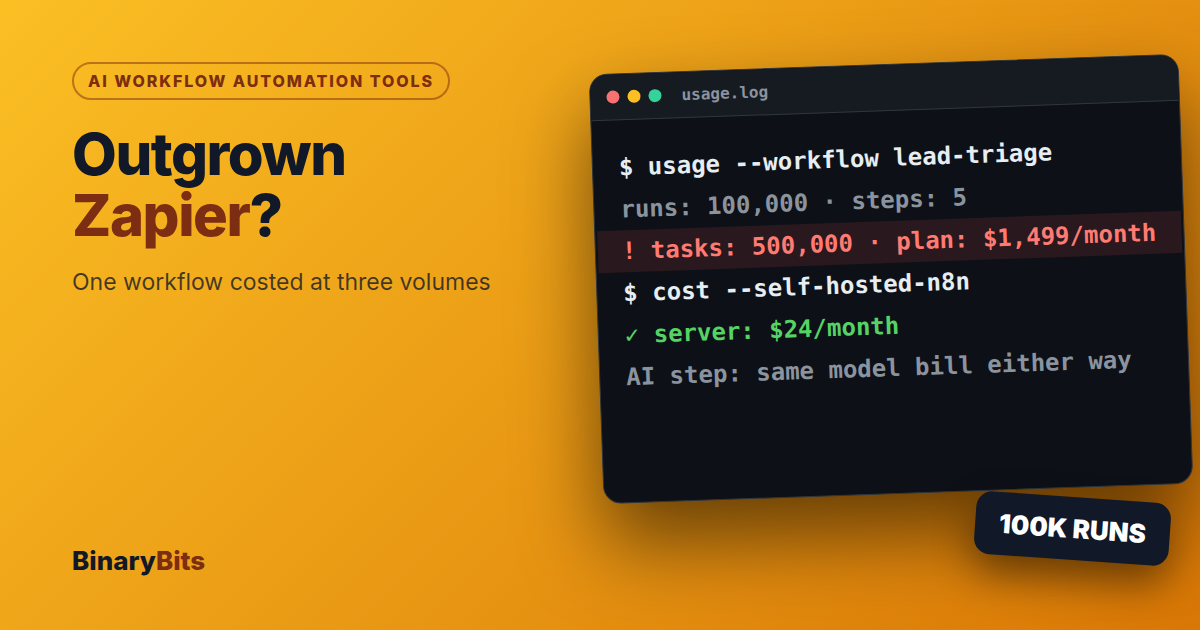
For most teams, AI workflow automation tools like Zapier, Make and n8n are enough, and a custom AI agent mainly pays off in two cases: the AI step needs real judgment you must test, or the volume makes per-task pricing hurt. On Zapier's published prices, a 5-step workflow costs $89 a month at 1,000 runs and $1,499 at 100,000.
Below: what each tool charges, one workflow costed at three volumes, the signs you've outgrown a tool, and when self-hosted n8n beats both.
💡 What you'll get from this post: a way to decide between staying on your tool, self-hosting n8n or building custom code, with every price taken from the vendors' own pages.
TL;DR
- Start on a tool. Most AI workflows never need custom code.
- Zapier charges per step, n8n per run. The same 5-step workflow at 10,000 runs a month is $289 on Zapier Pro and €50 on n8n Cloud Pro (annual billing).
- If cost is your only problem, self-hosted n8n usually fixes it without custom code.
- Move to code when the AI step needs tests, guardrails and logs, or when a system you need has no connector.
- The best setup is often a hybrid: the tool runs triggers and routing, code runs the AI step.
Do you need an AI workflow tool or a custom agent?
Ask two questions: how many times a month does the workflow run, and how much judgment does the AI step need? Low volume and simple rules belong on a tool. High volume and real judgment belong in code.
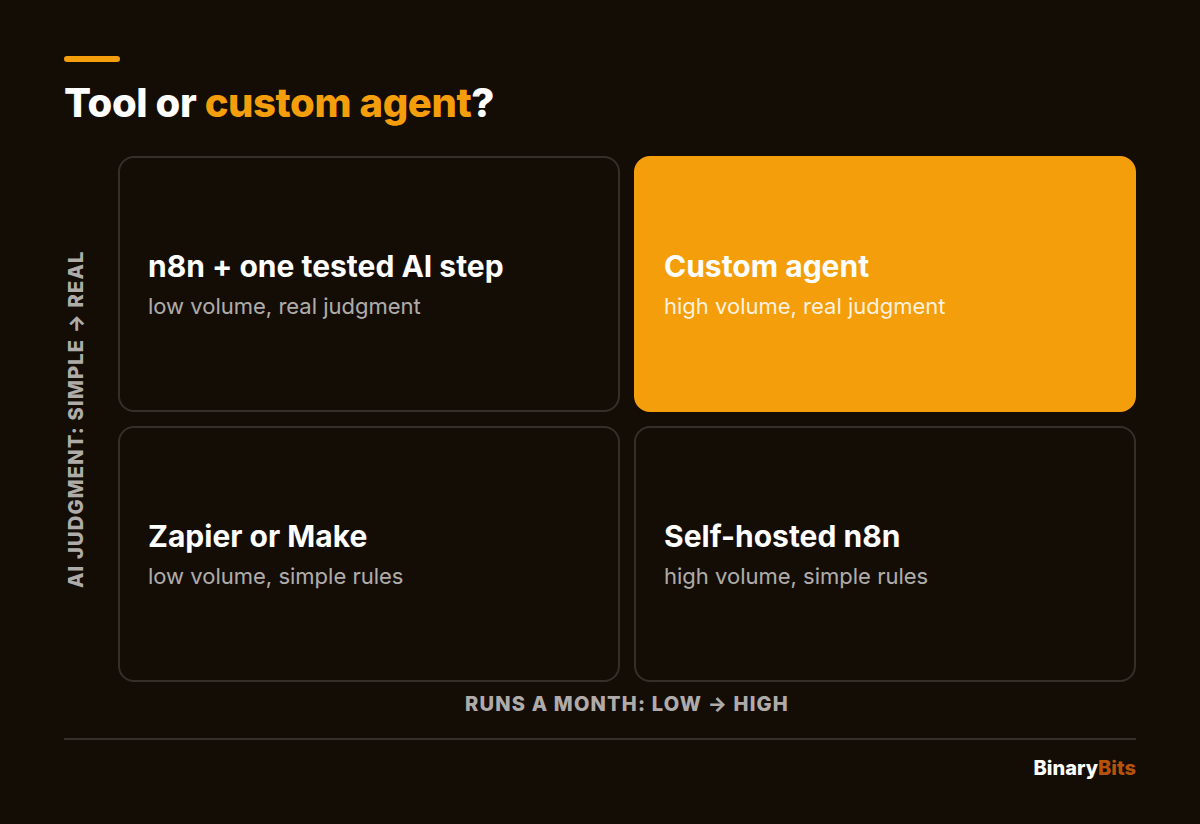
- Zapier or Make: short workflows between popular apps, a few thousand runs a month.
- Self-hosted n8n: the same kind of workflow at high volume, or data that must stay on your servers.
- n8n plus one AI step you test: low volume, but the AI has to decide something that matters.
- A custom agent: high volume and real judgment, or a system no tool connects to.
Which AI workflow automation tools are worth comparing?
Four tools come up in most comparisons for business workflows. They differ less in what they can do than in how they charge, and that's what decides your bill at scale.
| Tool | Suits | How it charges | Published price |
|---|---|---|---|
| Zapier | Non-technical teams, thousands of apps | Per task (each successful step) | Pro from $19.99/month for 750 tasks (annual) |
| Make | Visual, branching workflows | Per credit (most actions use 1) | Free plan: 1,000 credits a month |
| n8n | Technical teams, self-hosting | Per execution (one full run) | Cloud Starter €20/month for 2,500 runs; self-hosted Community edition free |
| Power Automate | Microsoft 365 companies | Per user or per bot | Premium $15/user/month; Process $150/bot/month |
Sources: Zapier pricing, Make pricing, n8n pricing and Power Automate pricing, checked November 2026.
How does each tool count a "run"?
This is the detail that changes the bill. On Zapier, every successful action step is a task, while triggers and built-in tools like Filter and Formatter are free. On n8n, "an execution is a single run of your entire workflow", however many steps it has. So a 5-step workflow uses 5 Zapier tasks but 1 n8n execution.
What does one AI workflow cost at 1k, 10k and 100k runs?
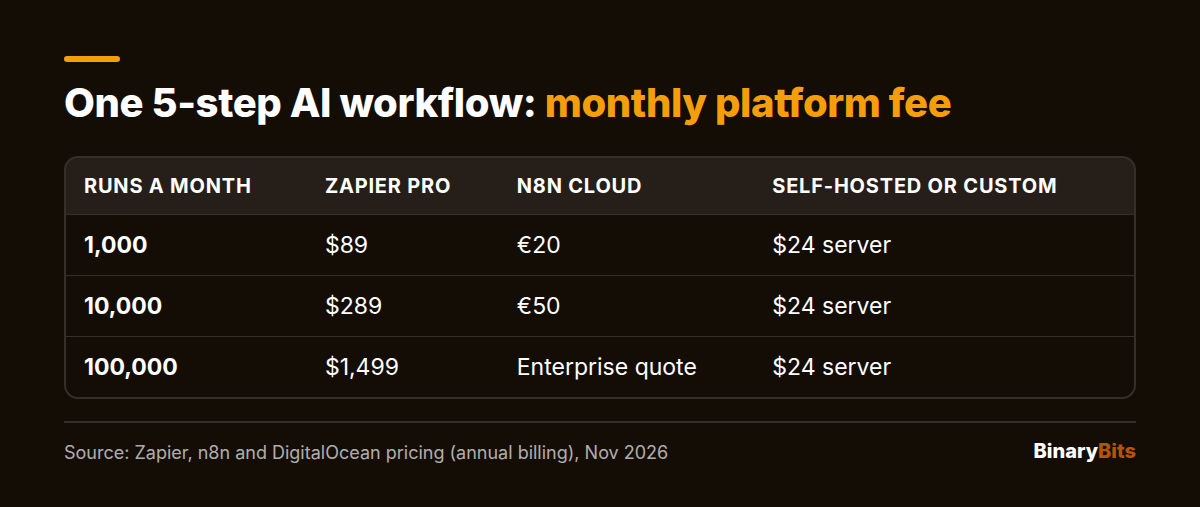
Take a typical lead workflow: a form fills in (the trigger), then 5 steps: look up the company, ask an AI model to score and draft a reply, update the CRM, post to Slack, send the email. Here's the platform fee per month, on annual billing, at each tool's published prices.
| Runs a month | Zapier Pro (5 tasks a run) | n8n Cloud | Self-hosted n8n or custom code |
|---|---|---|---|
| 1,000 | $89 (5,000 tasks) | €20 (Starter) | $24 server |
| 10,000 | $289 (50,000 tasks) | €50 (Pro) | $24 server |
| 100,000 | $1,499 (500,000 tasks) | Above Business (40,000 runs): Enterprise quote | $24 server |
Zapier and n8n figures are from their pricing pages. On monthly billing, Zapier is $133.50, $433.50 and $2,199. Make charges per credit too, but its paid prices aren't listed in its pricing page's text, so it's left out here. The $24 is a 4 GB DigitalOcean server, our assumption for a light workflow like this one. Heavier workflows need a bigger server.
What does the AI model add?
The model bill is the same whichever tool calls it, if you use your own API key (your own account with the model provider, billed to you). Say the AI step sends 3,000 tokens (a token is about three-quarters of a word) and gets 300 back. At Claude API prices, that's $0.00045 a run on Haiku 5.5 and $0.009 on Sonnet 5.5:
- 1,000 runs: $0.45 on Haiku 5.5, $9 on Sonnet 5.5
- 10,000 runs: $4.50 on Haiku 5.5, $90 on Sonnet 5.5
- 100,000 runs: $45 on Haiku 5.5, $900 on Sonnet 5.5
At 100,000 runs, the model you pick can cost more than self-hosting the whole workflow. Choosing the cheapest model that's accurate enough matters as much as choosing the tool.
When does custom code pay back?
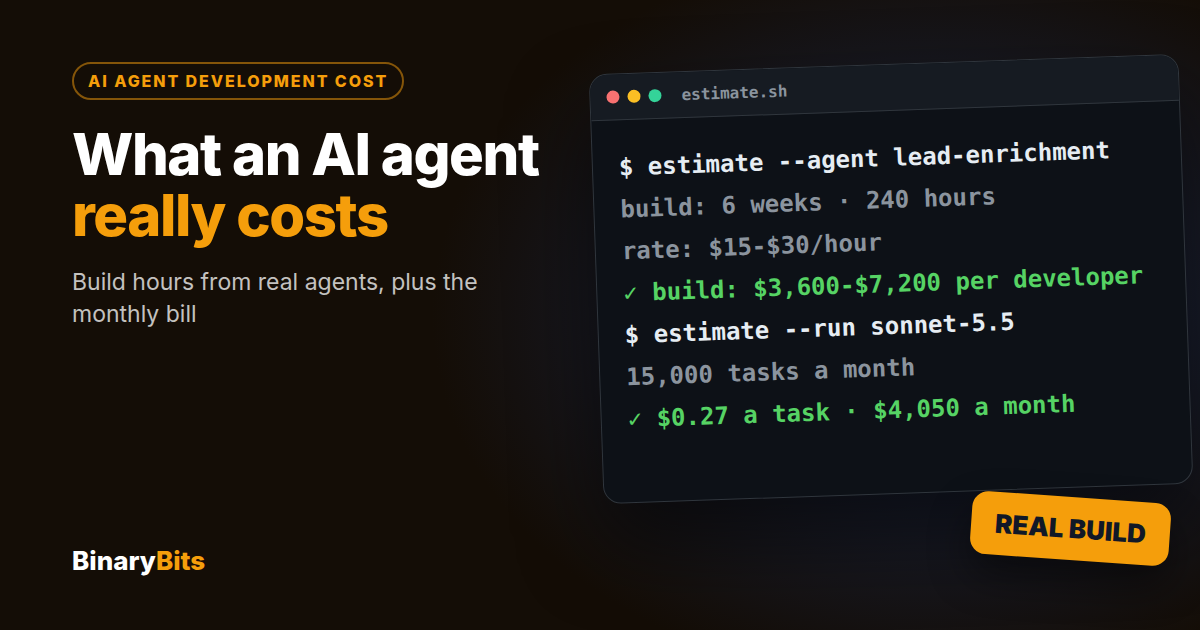
Simple agents take us 1–2 weeks to build, per our AI agents page. Assuming one developer full time (40–80 hours) at $15–$30 an hour, that's $600–$2,400. Against Zapier Pro on annual billing, counting platform fees only, our arithmetic gives:
- 1,000 runs: you save $65 a month, so it takes 9 to 37 months to pay back. Not worth it.
- 10,000 runs: you save $265 a month, so it pays back in 2 to 9 months.
- 100,000 runs: you save $1,475 a month, so it pays back in under 2 months.
Against n8n Cloud the sums barely move: €50 a month at 10,000 runs against a $24 server leaves little to pay back a build. That's why cost alone rarely justifies custom code.
Fees aren't the whole bill. Someone has to fix things when an app changes its API, on a tool or in code. RaftLabs, an agency that sells custom builds, estimates 5–10 hours a month of upkeep for a no-code setup and 2–4 hours for custom code. Treat that as one agency's view, but budget someone's time either way. The full picture is in our guide to AI agent development cost.
How do you know you've outgrown Zapier or n8n?
The bill is the obvious sign, but it's rarely the only one. These are the signs to look for before you decide to switch.
Is the task bill growing faster than the business?
If your runs double, your Zapier bill does too, step for step. When you're splitting workflows or cutting steps just to stay on a tier, the pricing is shaping your process. Managed-Code puts the point where the sums start to change at roughly $200 a month of Zapier spend.
Are your workflows getting too long to fix?
Long chains are hard to read, test and fix. Managed-Code treats 10–15 steps in one workflow as a warning sign. Past that, a small piece of code is often easier to change than a long chain of steps.
Does the AI step need to be right, not just plausible?
A tool can call a model. It can't easily run 200 past cases through it after every prompt change and tell you what broke. When a wrong answer costs money, you need a test set: real past cases with the right outcomes, re-run after every change.
Do errors fail silently?
Retries, partial failures and "this step ran but returned rubbish" are hard to handle across a chain of steps. If someone checks the output by hand every morning, the automation isn't finished.
Is there a system with no connector?
Older in-house systems, internal databases and some ERPs have no ready-made step. Calling them through a generic web-request step (an HTTP step) works until the login, paging and error handling become a project of their own.
Must the data stay on your servers?
Health, finance and customer data often can't pass through a third-party cloud. Self-hosted n8n solves this without custom code, which is why it sits between the two options.
Is n8n good enough instead of custom development?
Often, yes. Self-hosted, n8n removes the per-task bill, and its code node lets a developer write JavaScript or Python inside a workflow. If your problem is cost or data location, try self-hosted n8n before you pay for a custom build.
Where n8n gets hard is the AI step itself: versioned prompts, automated tests, guardrails (rules on what the agent may do alone) and a log of every decision. You can build those around n8n, but at that point you're writing code anyway, so put it where it can be tested.
What does a hybrid of n8n and code look like?
Here's a real one. In our AI process automation project, n8n schedules the work and passes it between steps, while the six agents' logic runs in Python with FastAPI and LangChain. SAP has no simple connector, so it's reached through a custom one built on SAP BAPI, SAP's programming interface.
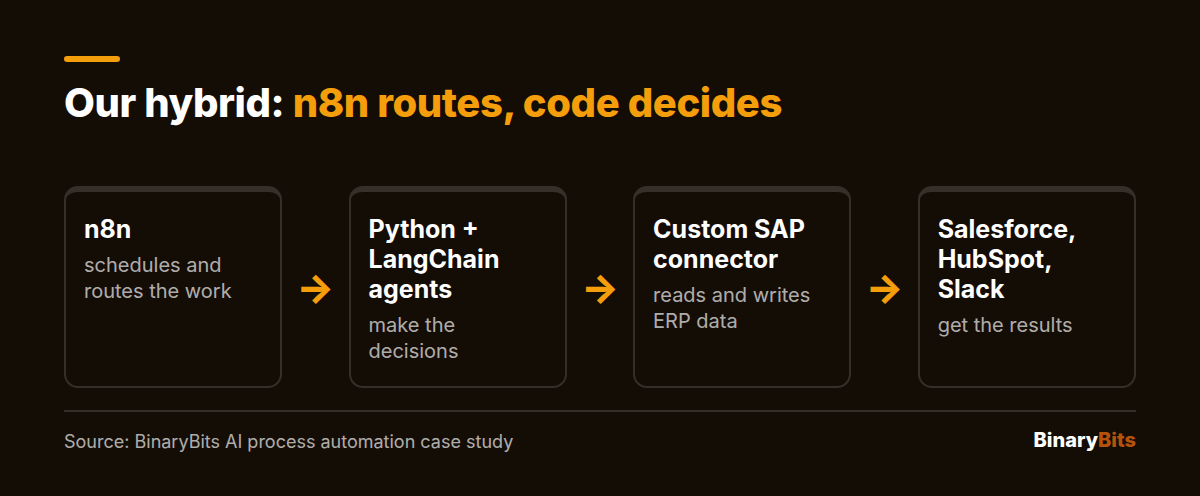
The project connected Salesforce, HubSpot, SAP and Slack, took 12 weeks and cut manual operations work by 80%, per the case study. That's a past result, not a promise for your project. The point is the split: the tool did what tools are good at, and the code did the parts that needed tests.
Not sure which side of the line your workflow sits on? Send it to us and we'll tell you if a tool is enough. See how we build AI agents and workflow automation →
What should stay on the tool and what should move to code?
You don't have to move everything at once. Most workflows split cleanly.
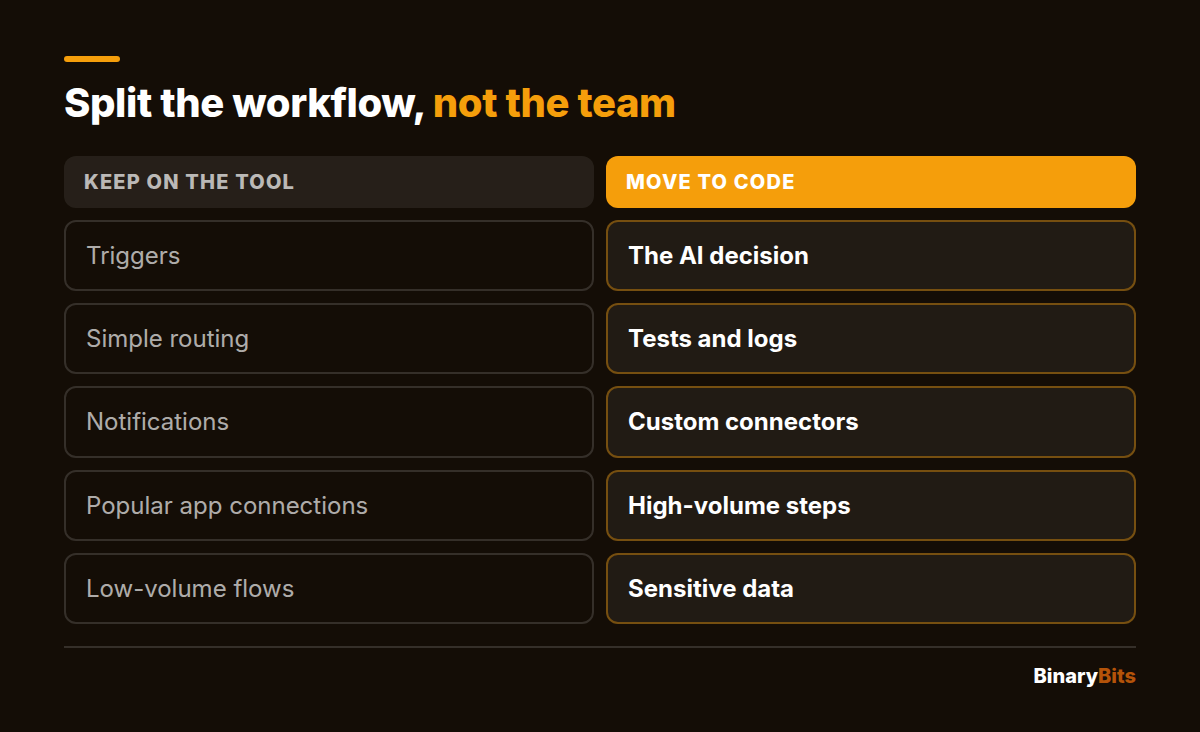
- Keep on the tool: triggers, simple routing, notifications and connections to popular apps.
- Move to code: the AI decision, its tests and logs, connectors to systems without one, and the steps that run most often.
When and how should you switch from Zapier to custom code?
Switch when two or more of the signs above apply, and do it step by step. Running both side by side is how you find out whether the new version is better before your customers do.
- List every workflow with its runs a month, tasks per run and failures last month.
- Pick the one that hurts most: the biggest bill or the most hand-fixing.
- Build the new version and run it on the same inputs as the old one, without acting on its output.
- Move traffic over in stages: RaftLabs suggests 10%, then 50%, then 100%, checking for a week at each stage.
- Pause the old workflow, don't delete it. Keep it for 30 days so you can switch back if something breaks.
For a single workflow like the one above, a simple build plus a week or two of side-by-side running is a realistic plan. Bigger estates take longer: our six-agent project took 12 weeks.
What should you check before you switch?
Five answers tell you whether a switch is worth scoping. If you can't answer them, start there.
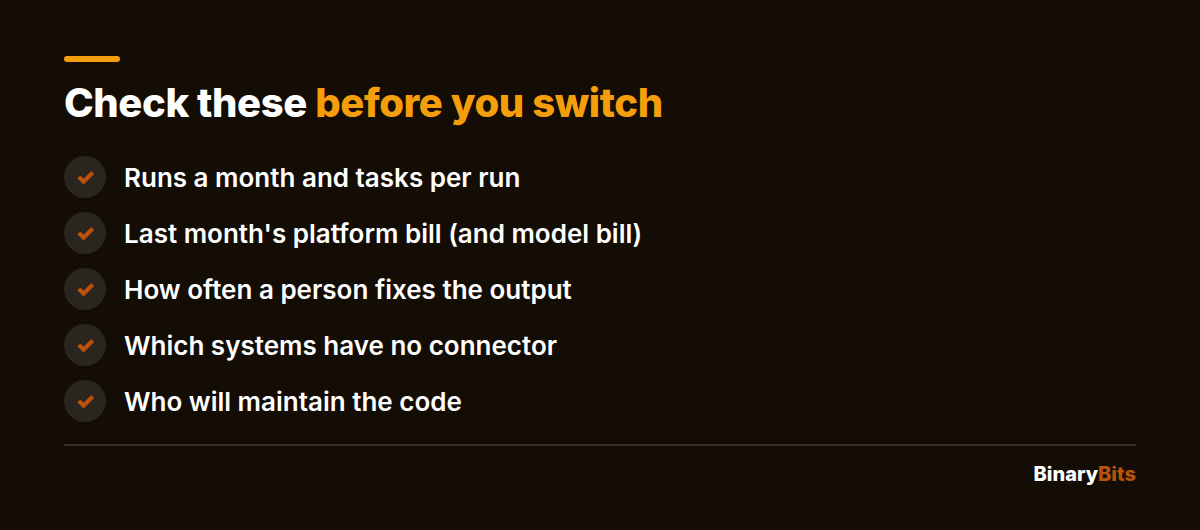
- Runs a month and tasks per run, from the tool's usage page.
- Last month's platform bill, and the model bill if you pay it separately.
- How often a person checks or fixes the output.
- Which systems have no ready-made connector.
- Who will maintain the code once it's live.
When shouldn't you build a custom agent?
When the workflow runs a few hundred times a month, changes every few weeks, or nobody can say what a correct output looks like. A custom build fixes none of those. If your only complaint is the bill, self-hosted n8n is the cheaper fix, and if you'd rather not touch code at all, our guide to custom AI automation without hiring developers covers that route. We'll say so on the call too.
If you do build, choose the team carefully. Our checklist for choosing an AI agent development company covers what to ask.
Send us the workflow, we'll tell you if a tool is enough
Book a free 30-minute call. We'll look at your runs, your bill and the AI step, and tell you whether to stay, self-host or build. No pitch, just a conversation.
Frequently asked questions
What is AI workflow automation?
It's a workflow where software moves work between your apps and an AI model handles a step that used to need a person: reading an email, scoring a lead, drafting a reply or pulling fields from a document. Tools like Zapier, Make and n8n let you build these without code. A custom agent does the same in code, with tests and logs around the AI step.
Is n8n good enough instead of custom development?
For most workflows, yes. Self-hosted n8n has no per-run fee, keeps data on your servers and lets developers add code inside a workflow. It gets harder when the AI step needs versioned prompts, automated tests on past cases and guardrails. Then a hybrid works well: n8n for scheduling and routing, code for the AI decision.
At what point does Zapier get too expensive?
It depends on steps per run, because each successful step is a task. A 5-step workflow costs $89 a month at 1,000 runs and $289 at 10,000 on Zapier Pro with annual billing, then $1,499 at 100,000. Around 10,000 runs a month, a simple custom build at our rates pays back its fees in 2 to 9 months, while self-hosted n8n costs a server plus someone's time to update and back it up.
How do I know if I've outgrown my automation tool?
Watch for these signs: the task bill grows faster than the business, one workflow passes 10–15 steps, the AI step needs to be right rather than plausible, errors fail silently and someone fixes them by hand, a system you need has no connector, or data must stay on your servers. One sign alone may only need self-hosted n8n. Several usually mean code.
How much does a custom AI agent cost compared to Zapier or n8n?
The build is the big difference. A simple agent takes us 1–2 weeks, which is $600–$2,400 for one developer at $15–$30 an hour, while a tool costs nothing to start. Running it can be cheap: a light workflow fits on a $24-a-month server. The AI model's fees are the same whichever option calls it.
Can I migrate from Zapier to custom code gradually?
Yes, and it's the safer way. Move one workflow at a time, starting with the one that costs most or breaks most. Run the new version on the same inputs without acting on it, then move traffic over in stages, a small share first and checking each stage for a week. Keep the old Zap paused, not deleted, for a month so you can switch back.
How long does it take to build a custom AI workflow?
Simple agents can be live in 1–2 weeks. Complex multi-step automations take 3–6 weeks, depending on how many systems they connect to. Our AI process automation project, with six agents across Salesforce, HubSpot, SAP and Slack, took 12 weeks. Plan an extra week or two of running it side by side with the old workflow.